
Assembly
B2-99prose procedureMTX (manual transaxle) uses flywheel + clutch disk/cover; ATX (automatic transaxle) uses drive plate with adapter and backing plate.
Oil cooler and oil cooler body
- 1Install a new gasket and the oil cooler body.
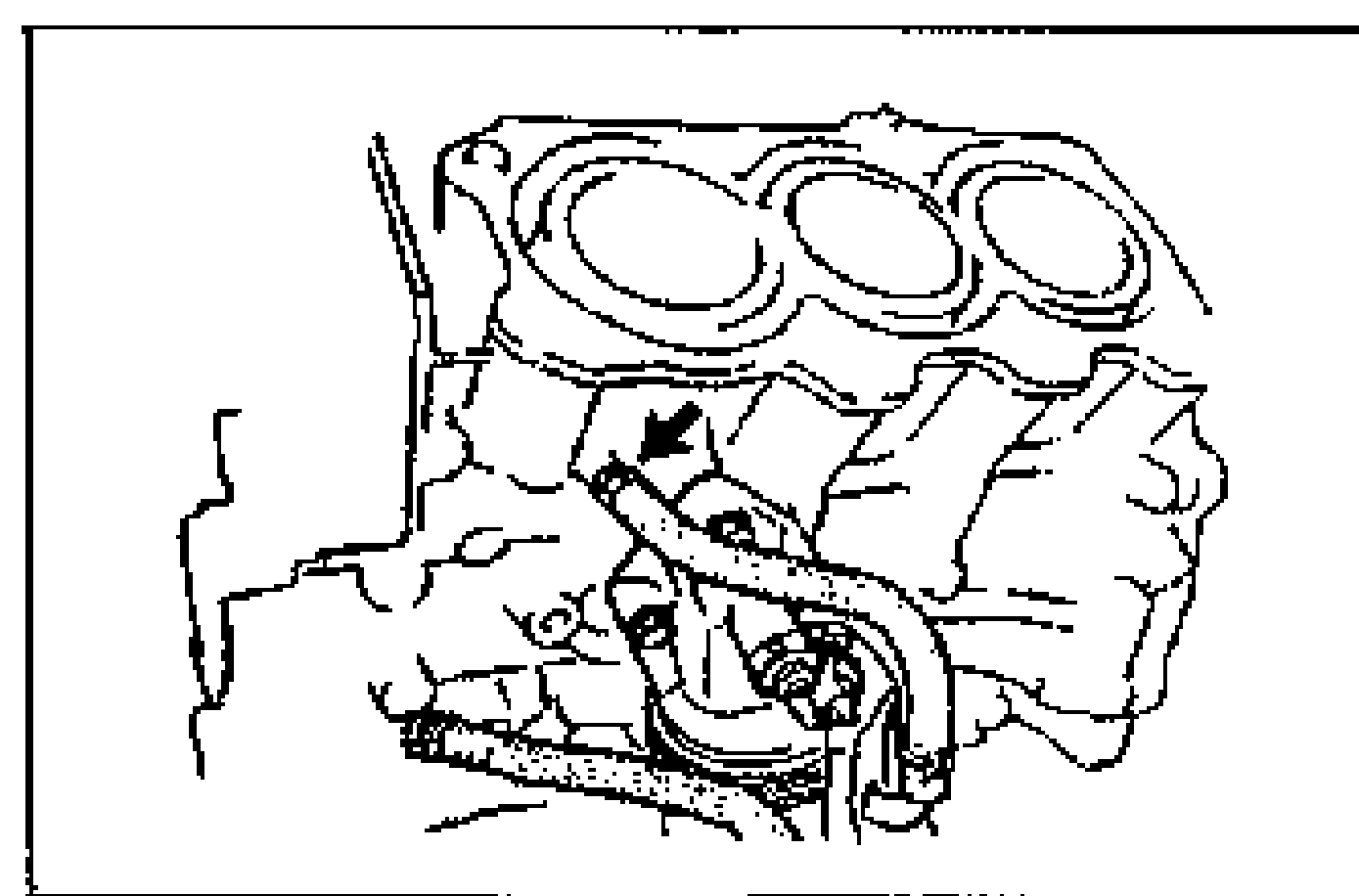
- 2Connect the water hoses.
| Specification | Value |
|---|---|
| oil cooler body | 19 - 25N·m |
oil cooler body
19 - 25N·m
Flywheel (MTX)
- 1Set the flywheel onto the crankshaft.
- 2Hold the flywheel by using the SST.
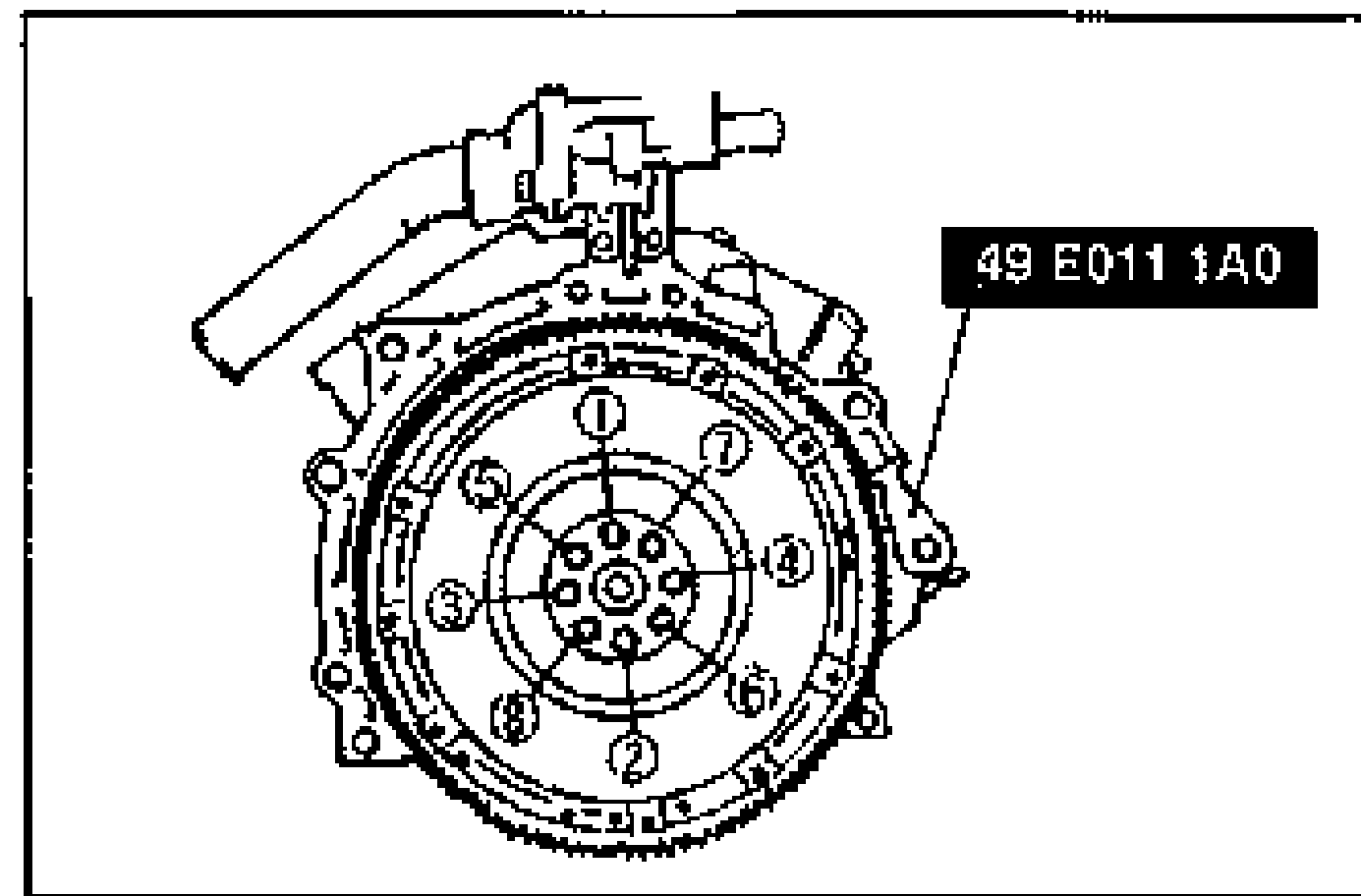
- 3Tighten the bolts in two or three steps in the order shown.
| Specification | Value |
|---|---|
| flywheel (MTX) | 61 - 87N·m |
flywheel (MTX)
61 - 87N·m
Clutch Disk and Clutch Cover (MTX)
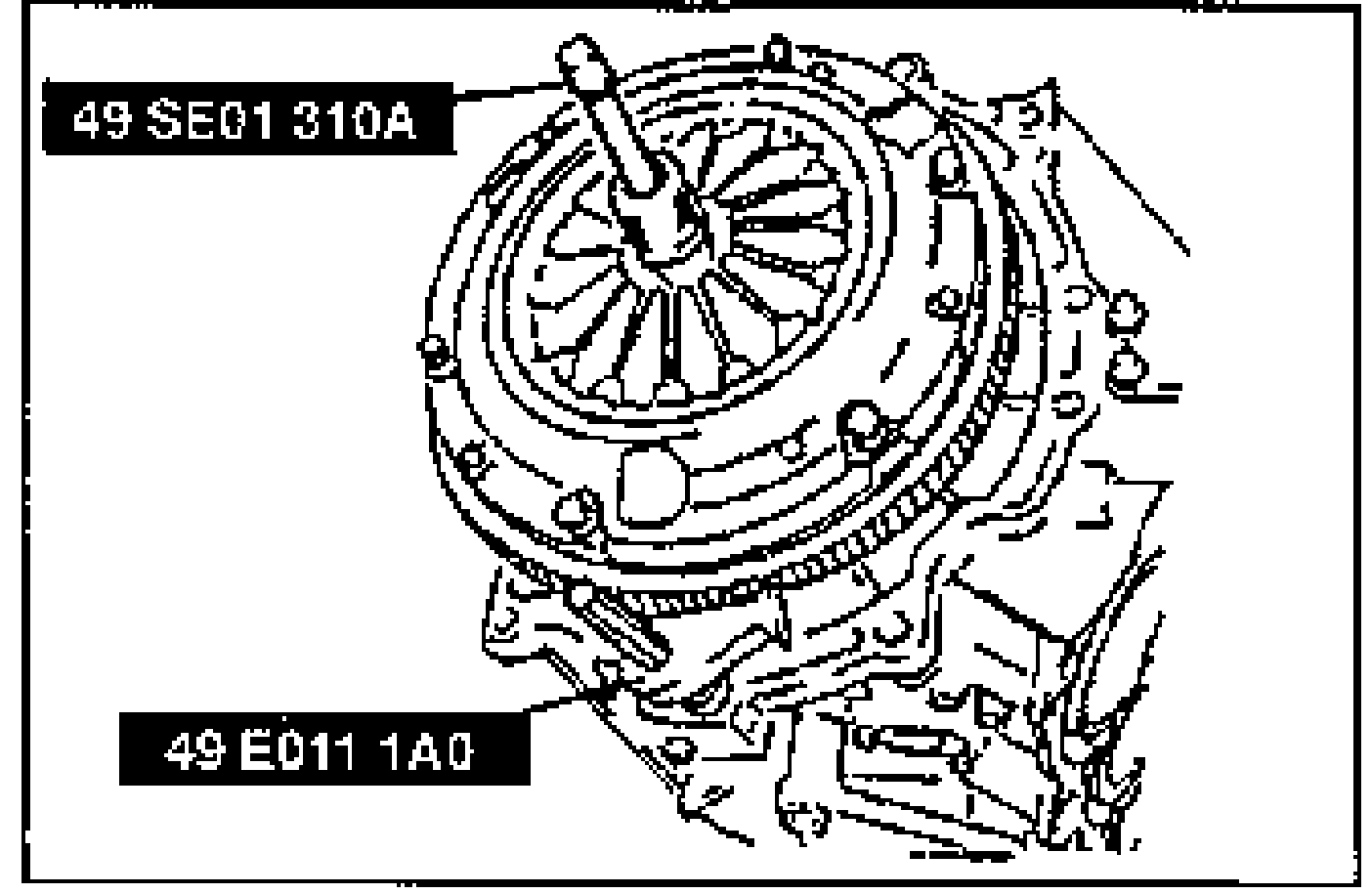
- 1Install the clutch disk and clutch cover by using the SST. (Refer to section H.)
| Specification | Value |
|---|---|
| clutch disk and clutch cover (MTX) | 18 - 26N·m |
clutch disk and clutch cover (MTX)
18 - 26N·m
Drive plate (ATX)
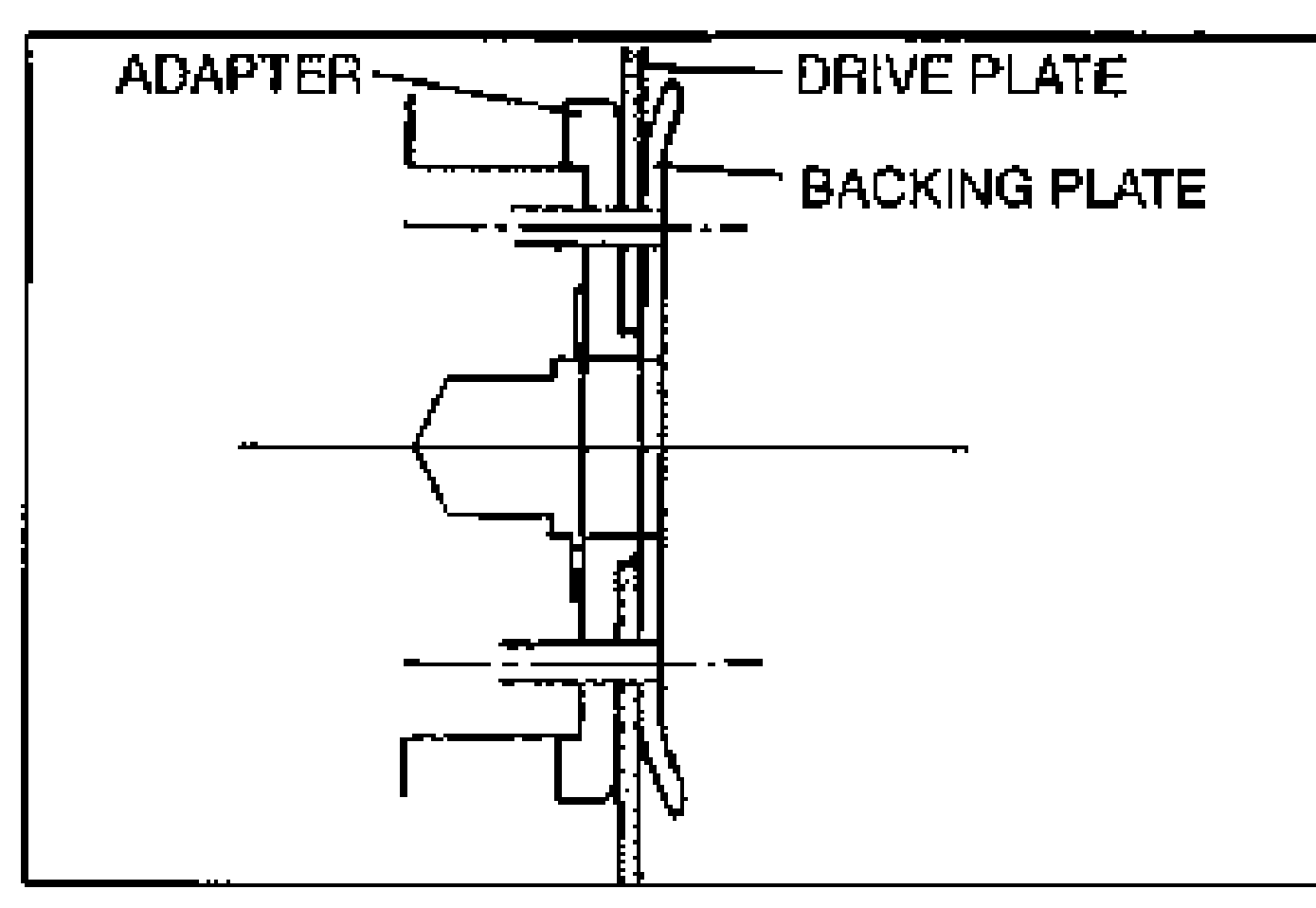
- 1Install the following parts to the crankshaft: (1) Adapter, (2) Drive plate, (3) Backing plate.Verify that the adapter and the backing plate are mounted in the directions shown. Incorrect mounting can damage the engine and transaxle.
- 2Hand tighten the lock bolts.
- 3Hold the drive plate by using the SST.
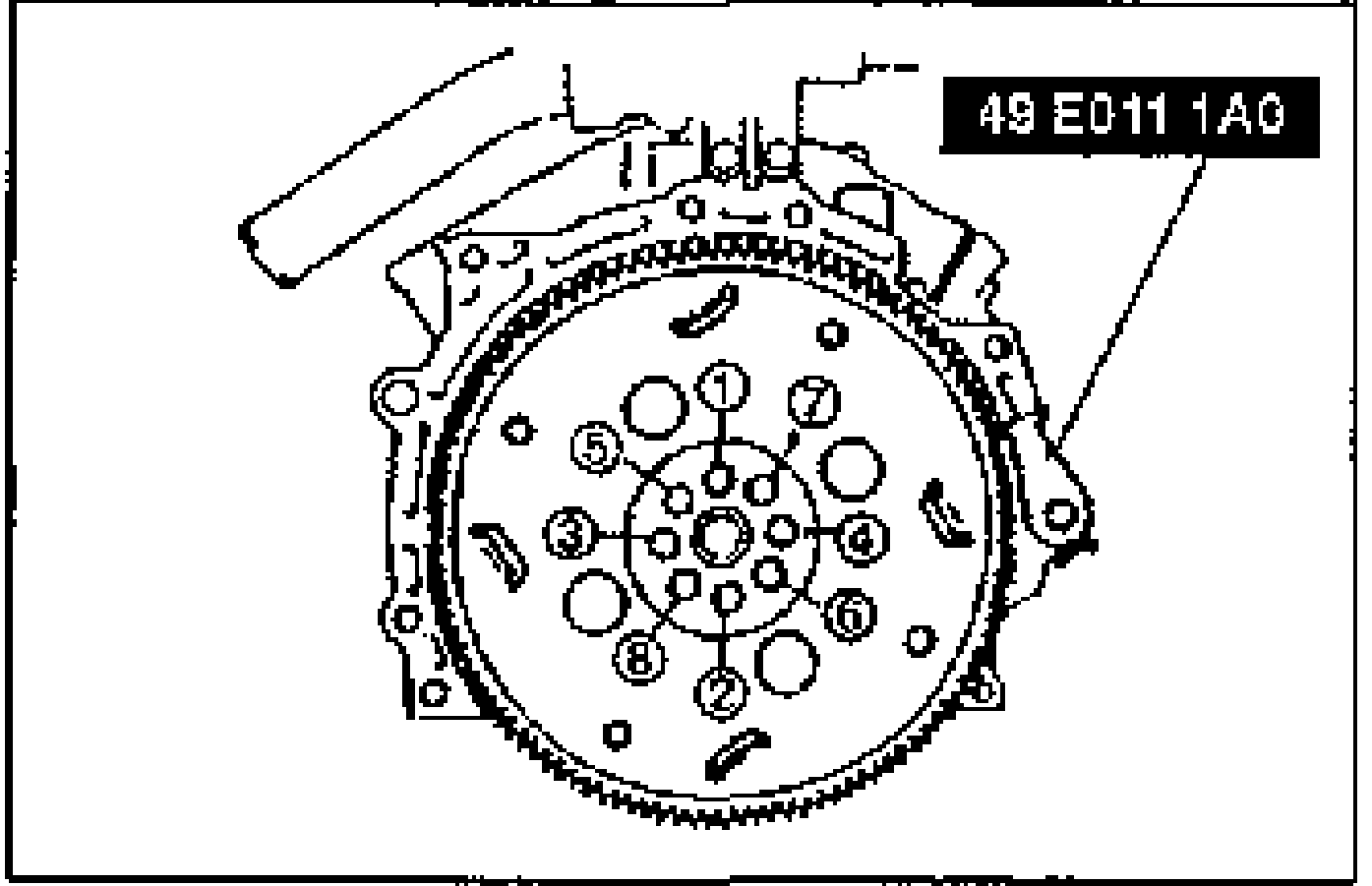
- 4Tighten the bolts in two or three steps in the order shown.
| Specification | Value |
|---|---|
| drive plate (ATX) | 61 - 87N·m |
drive plate (ATX)
61 - 87N·m