
REAR OIL SEAL — Replacement
B2-42parts diagramMTX (manual transaxle) vs ATX (automatic transaxle) variants distinguished throughout: MTX uses clutch cover/disc + flywheel, ATX uses drive plate/backing plate/adapter.
Replacement
Rear Oil Seal Replacement
- 1Disconnect the negative battery cable.
- 2Remove in the order shown in the figure, referring to Removal Note.
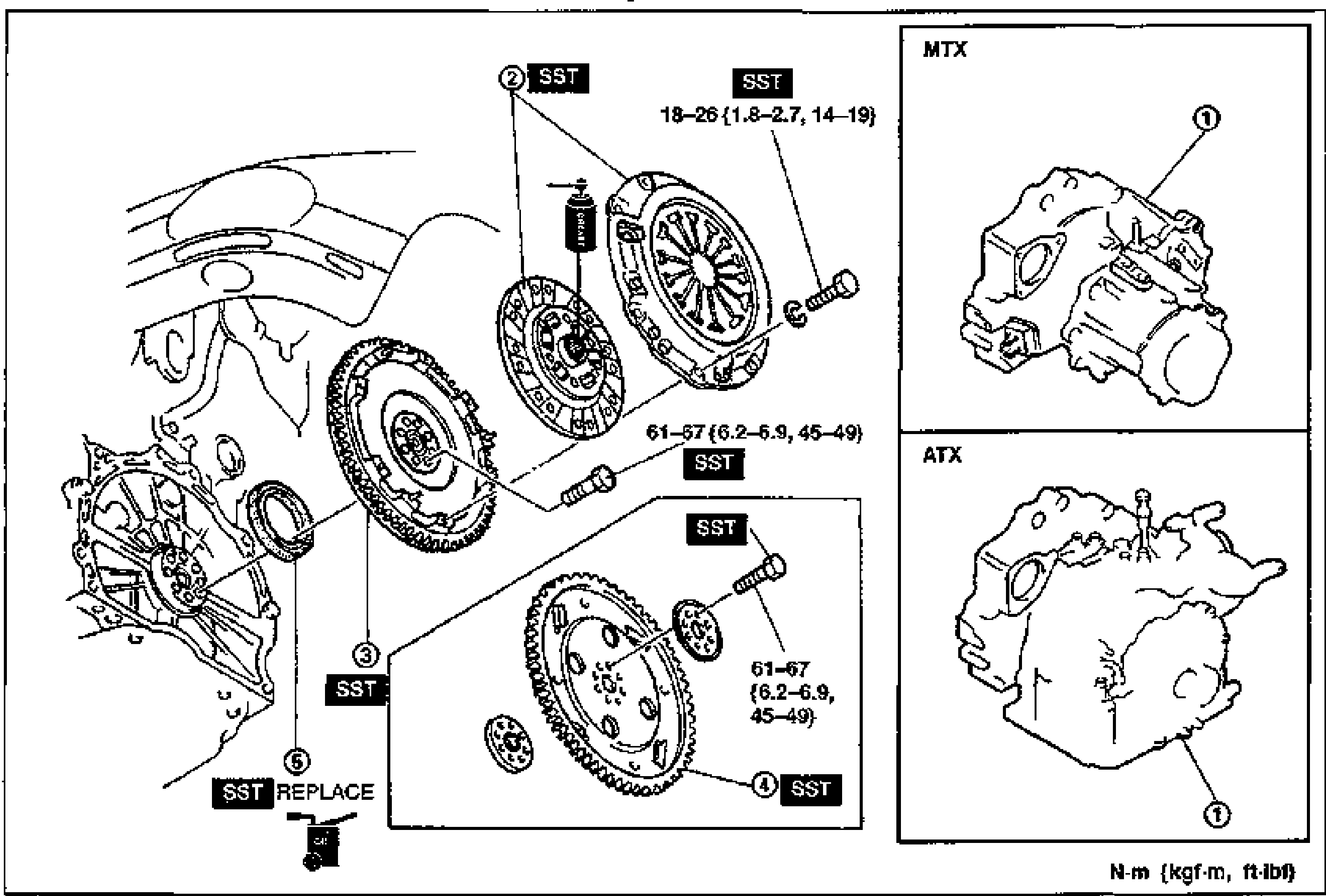
- 3Install in the reverse order of removal, referring to Installation Note.
Removal/Installation references
1
PartTransaxle — MTX
ReferenceRemoval / Installation — section J2
1
PartTransaxle — ATX
ReferenceRemoval / Installation — section K
2
PartClutch cover, clutch disc (MTX)
ReferenceService — section H
3
PartFlywheel (MTX)
ReferenceRemoval Note — below; Installation Note — page B2-43
4
PartDrive plate, backing plate, adapter (ATX)
ReferenceRemoval Note — below; Installation Note — page B2-43
5
PartOil seal
ReferenceRemoval Note — page B2-43; Installation Note — page B2-43
Removal Note
Flywheel (MTX)
Flywheel (MTX) removal
- 1Hold the flywheel by using the SST.
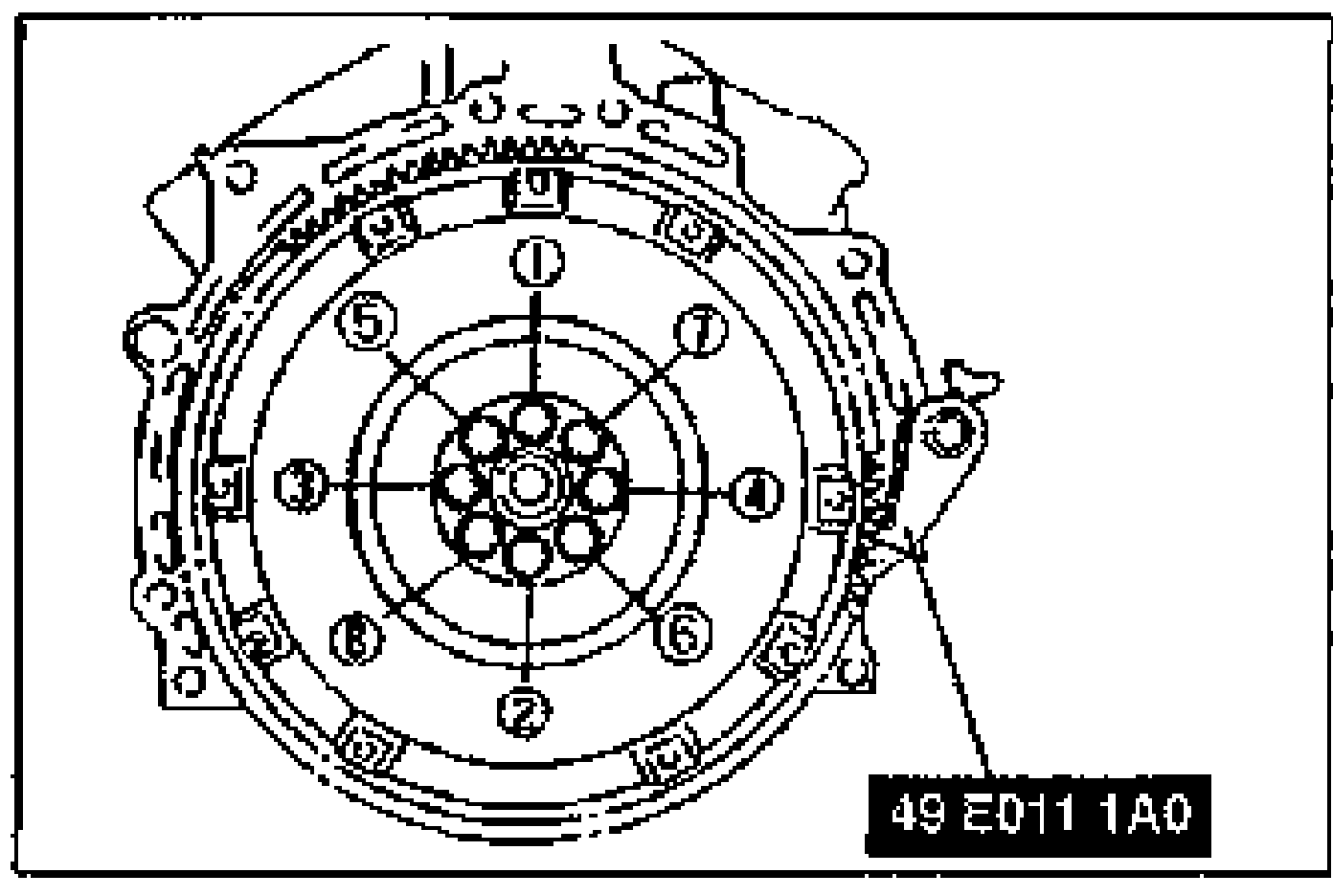 49 E011 1A0
 - 2Remove the flywheel mounting bolts.
- 3Remove the flywheel.
Drive plate (ATX)
Drive plate (ATX) removal
- 1Hold the drive plate by using the SST.
- 2Remove the lock bolts.
- 3Remove the backing plate, drive plate, and adapter.