
REAR OIL SEAL — Removal Note / Installation Note
B2-43prose procedureFlywheel installation applies to MTX; drive plate/backing plate/adapter installation applies to ATX. Both use the same tightening torque (61-87 N·m).
Oil seal
Oil seal removal
- 1Cut the oil seal lip with a razor knife.
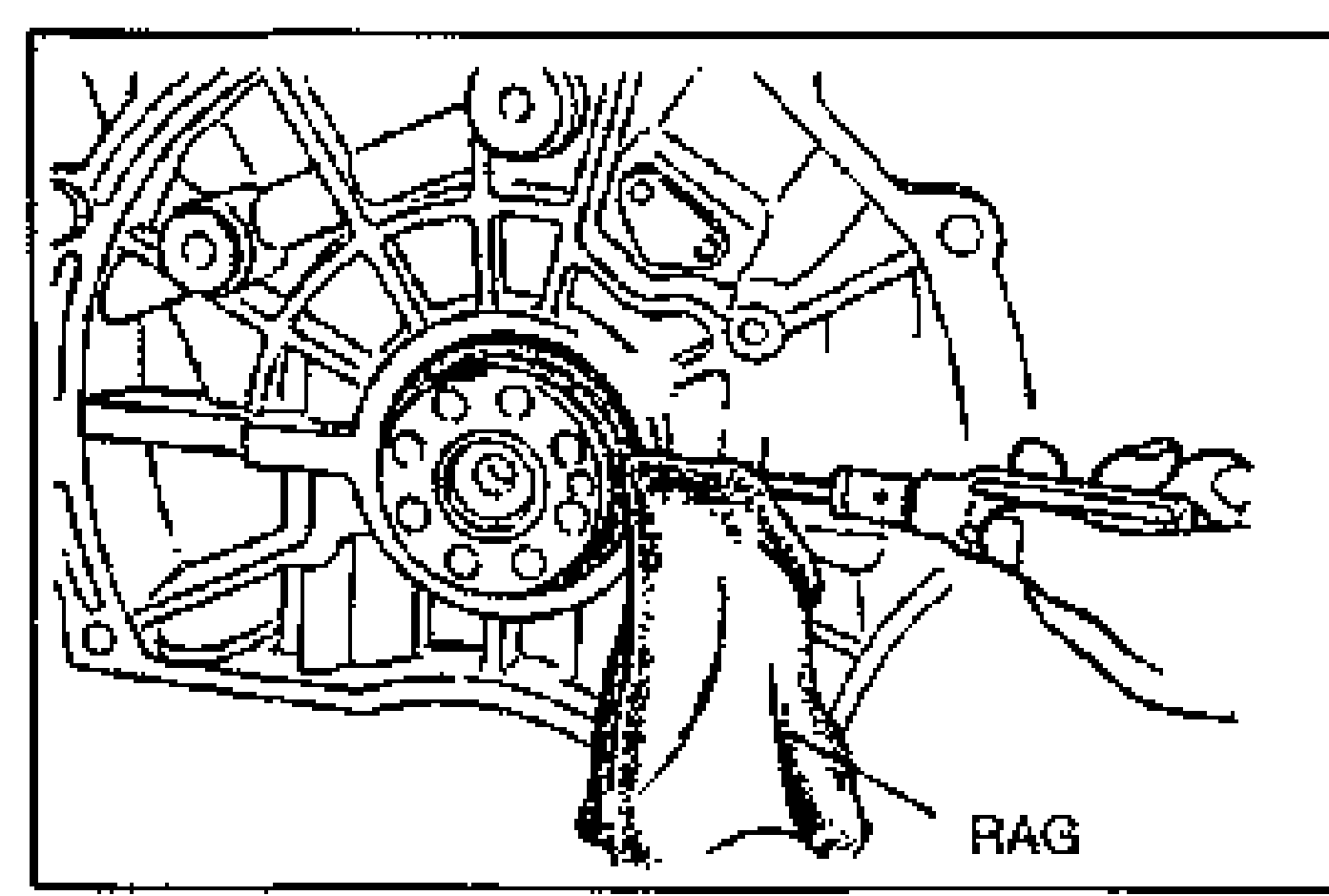
- 2Remove the oil seal by using a screwdriver protected with a rag.
Installation Note
Oil seal
Oil seal installation
- 1Apply clean engine oil to the lip of the new oil seal.
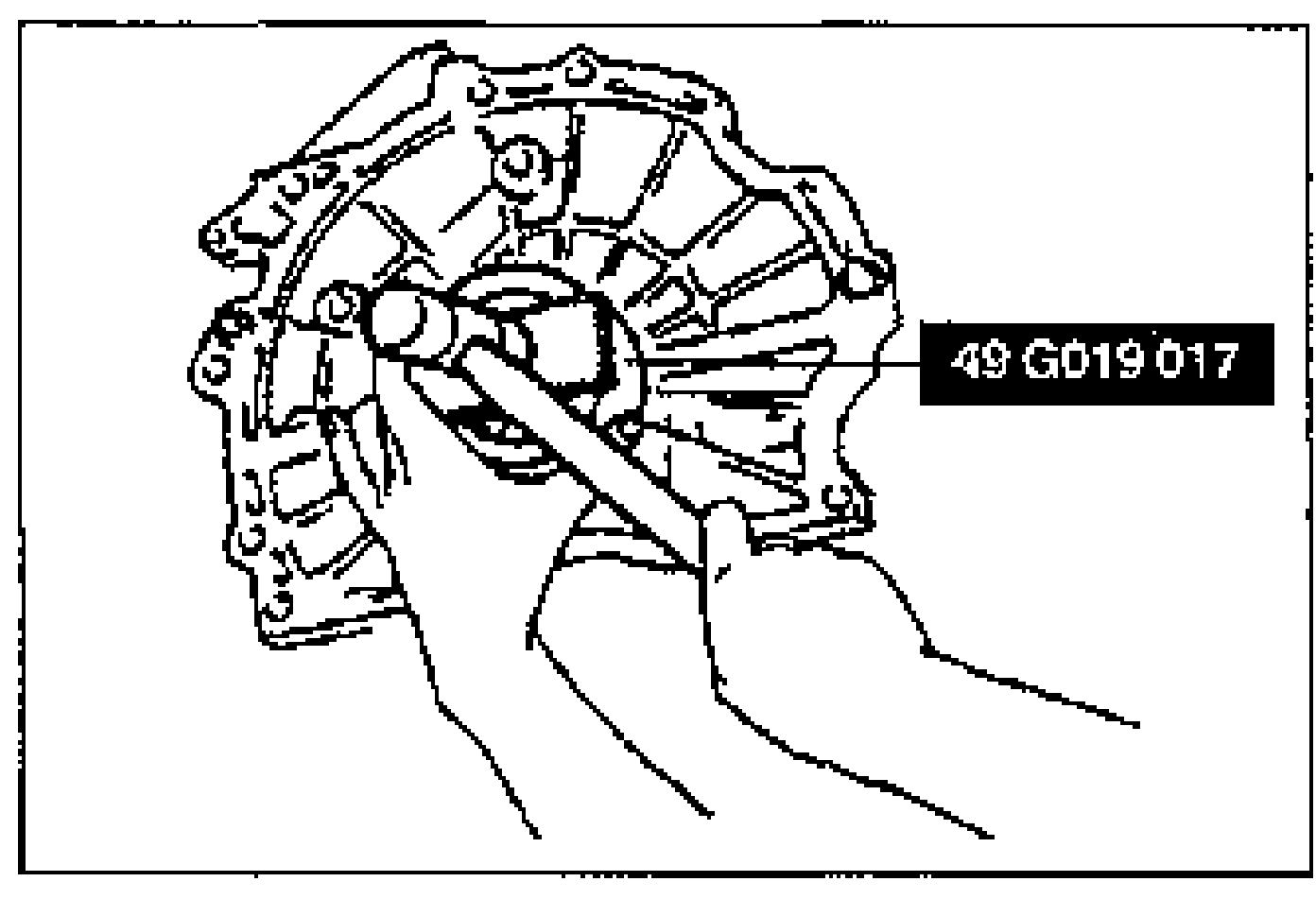 49 G019 017
 - 2Push the oil seal slightly in by hand.
- 3Tap the oil seal in evenly with the SST and a hammer.
| Specification | Value |
|---|---|
| Protrusion | 0—0.7mm {0—0.03 in} |
Protrusion
0—0.7mm {0—0.03 in}
Flywheel (MTX)
Flywheel (MTX) installation
- 1Set the flywheel onto the crankshaft.
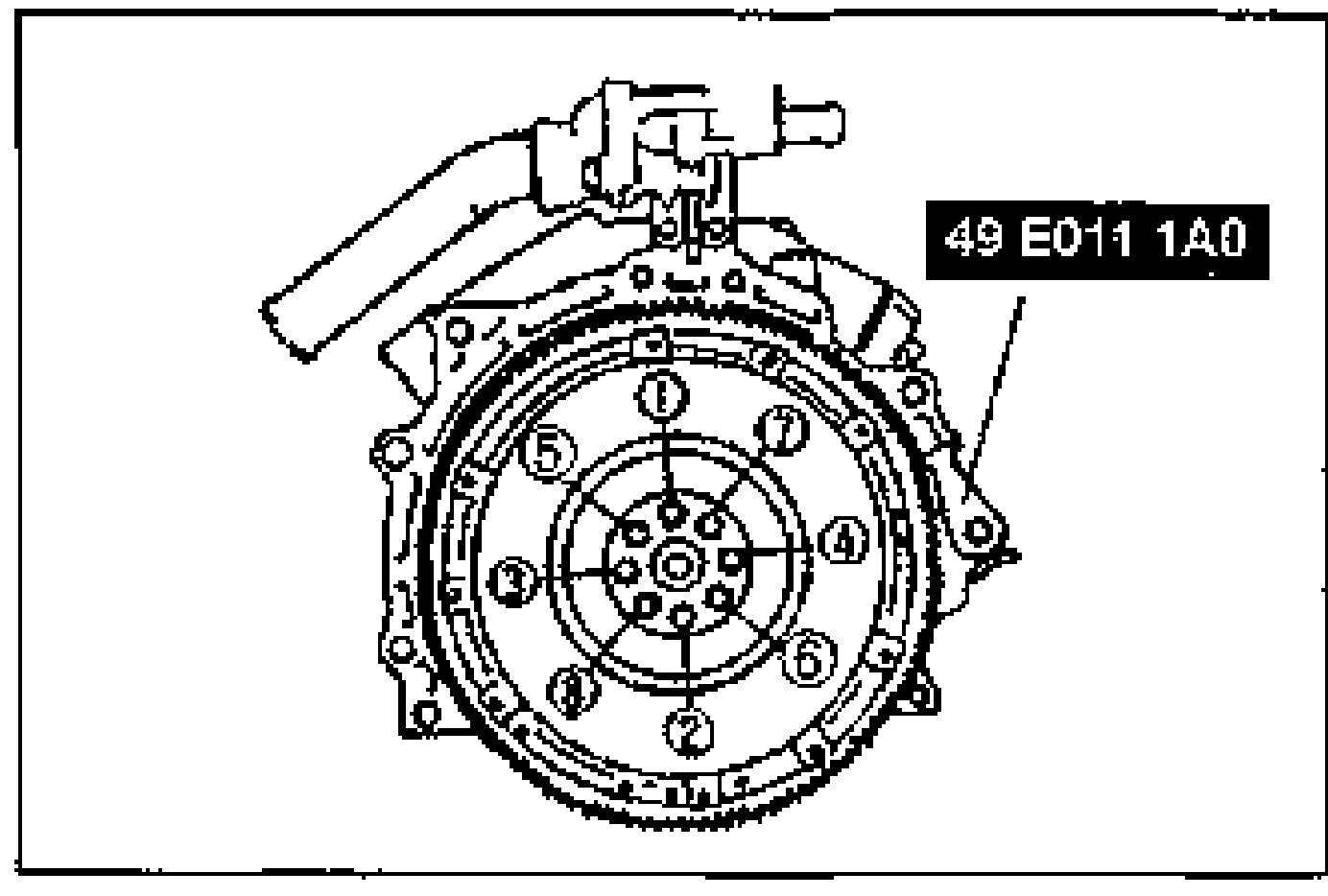
 49 E011 1A0
 - 2Hand tighten the lock bolts.
- 3Hold the flywheel by using the SST.
- 4Tighten the bolts in two or three steps in the order shown.
| Specification | Value |
|---|---|
| Flywheel (MTX) | ≈598 - 853N·m |
Flywheel (MTX)
598 - 853N·m
Drive plate (ATX)
Drive plate (ATX) installation
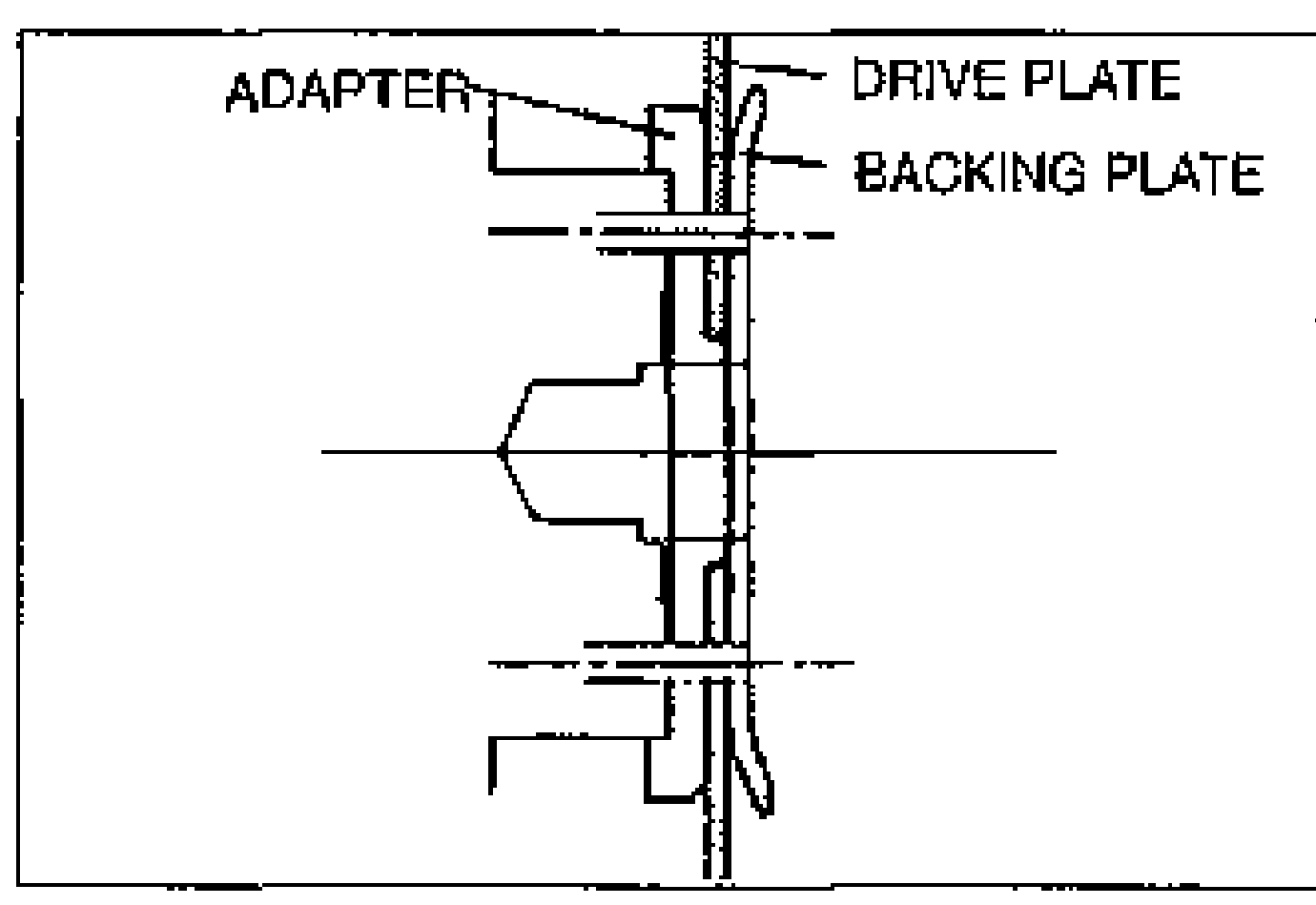
- 1Install the adapter, drive plate and backing plate as shown and hand tighten the lock bolts.
- 2Hold the drive plate by using the SST.
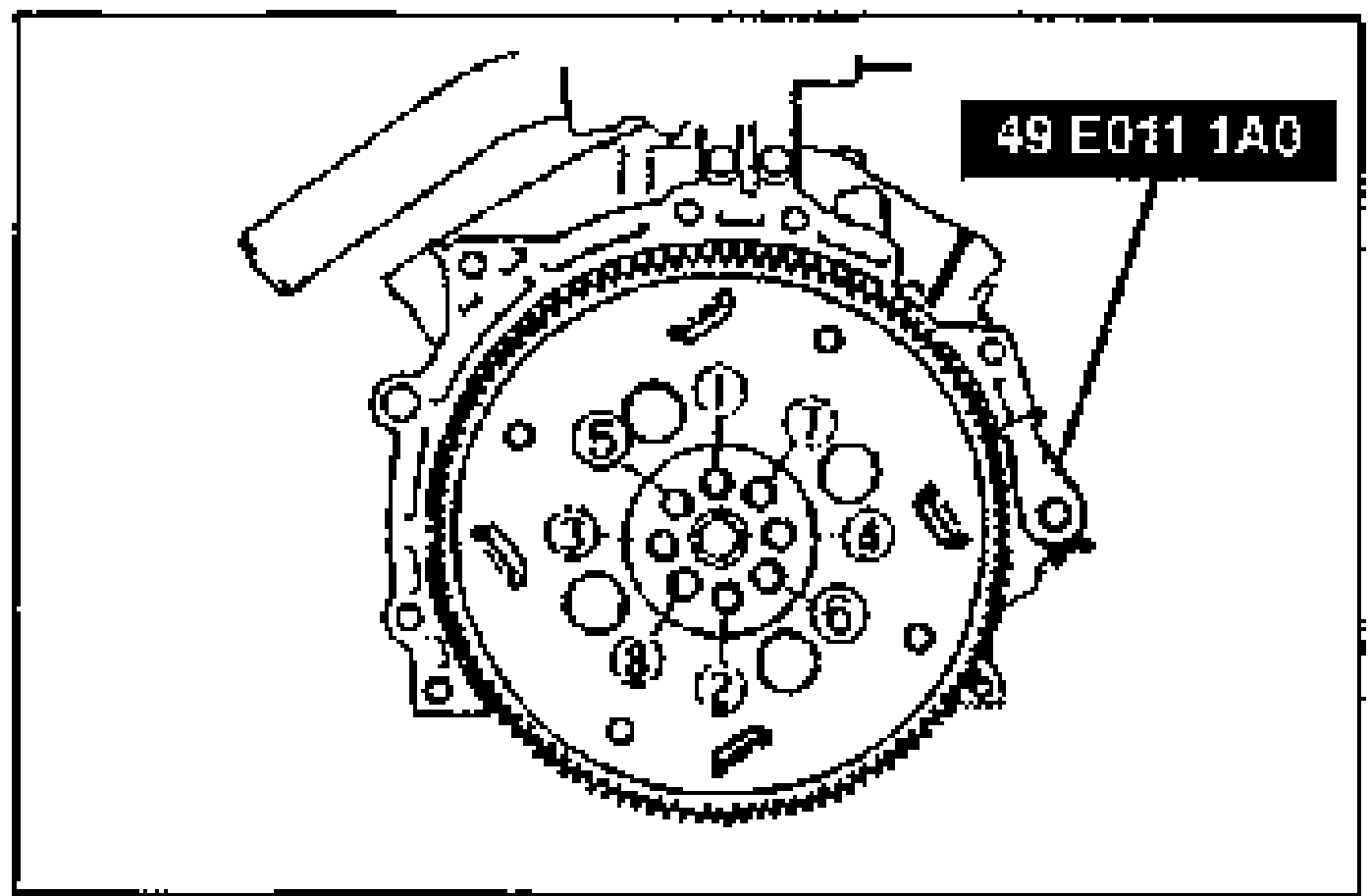 49 E011 1A0
 - 3Tighten the bolts in two or three steps in the order shown.
| Specification | Value |
|---|---|
| Drive plate (ATX) | ≈598 - 853N·m |
Drive plate (ATX)
598 - 853N·m
Steps After Installation
Start the engine and perform engine adjustments as necessary.