
AUDIO — Troubleshooting Flowchart No.2: Some speakers do not operate
J-9flowchartFlowchart No.2 — Symptom: Some speakers do not operate
NOTE
Possible cause: Damaged speaker; Damaged audio unit; Open or short circuit in wiring harness; Poor connection of connector.
Step 1
- 1Turn the ignition switch to ACC.
- 2Turn the audio system power on.
- 3Insert a recorded tape and set the volume to a comfortable level.
- 4Set the bass/balance control knob and the treble/fader control as specified in Table 1.
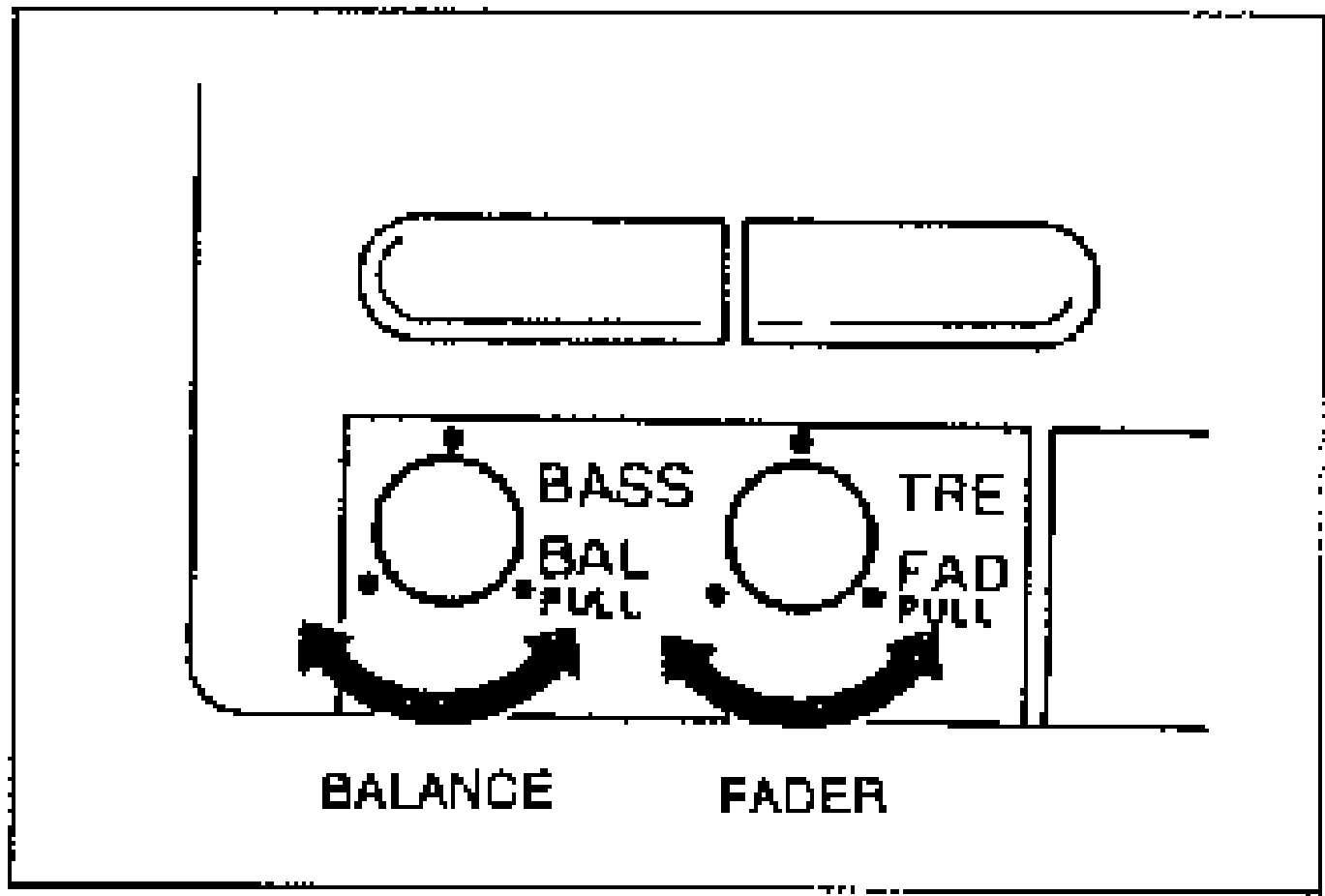
- 5Check the performance of each speaker. Refer to Table 2 and follow the appropriate action.
Table 1 — Speaker test settings
Right door
FaderFront
BalanceRight
Speaker operatesYes
JudgementRight door speaker circuit OK
Right door
FaderFront
BalanceRight
Speaker operatesNo
JudgementRight door speaker circuit malfunction
Left door
FaderFront
BalanceLeft
Speaker operatesYes
JudgementLeft door speaker circuit OK
Left door
FaderFront
BalanceLeft
Speaker operatesNo
JudgementLeft door speaker circuit malfunction
Right rear
FaderLeft
BalanceRight
Speaker operatesYes
JudgementRight rear speaker circuit OK
Right rear
FaderLeft
BalanceRight
Speaker operatesNo
JudgementRight rear speaker circuit malfunction
Left rear
FaderLeft
BalanceLeft
Speaker operatesYes
JudgementLeft rear speaker circuit OK
Left rear
FaderLeft
BalanceLeft
Speaker operatesNo
JudgementLeft rear speaker circuit malfunction
Table 2 — Symptom / Action (X = malfunctioning speaker)
X
Left door
Right rear
Left rear
ActionGo to Step 2
Left doorX
Right rear
Left rear
ActionGo to Step 2
Left door
Right rearX
Left rear
ActionGo to Step 6
Left door
Right rear
Left rearX
ActionGo to Step 6