Mazda MX-3 silhouetteMX-3

AUDIO — Audio Unit Removal/Installation; Speaker Removal/Installation

J-20prose procedure

AUDIO UNIT

Removal

  1. 1
    Pry out the audio unit service hole covers by using a protected screwdriver. Keep the hole covers for reinstallation.
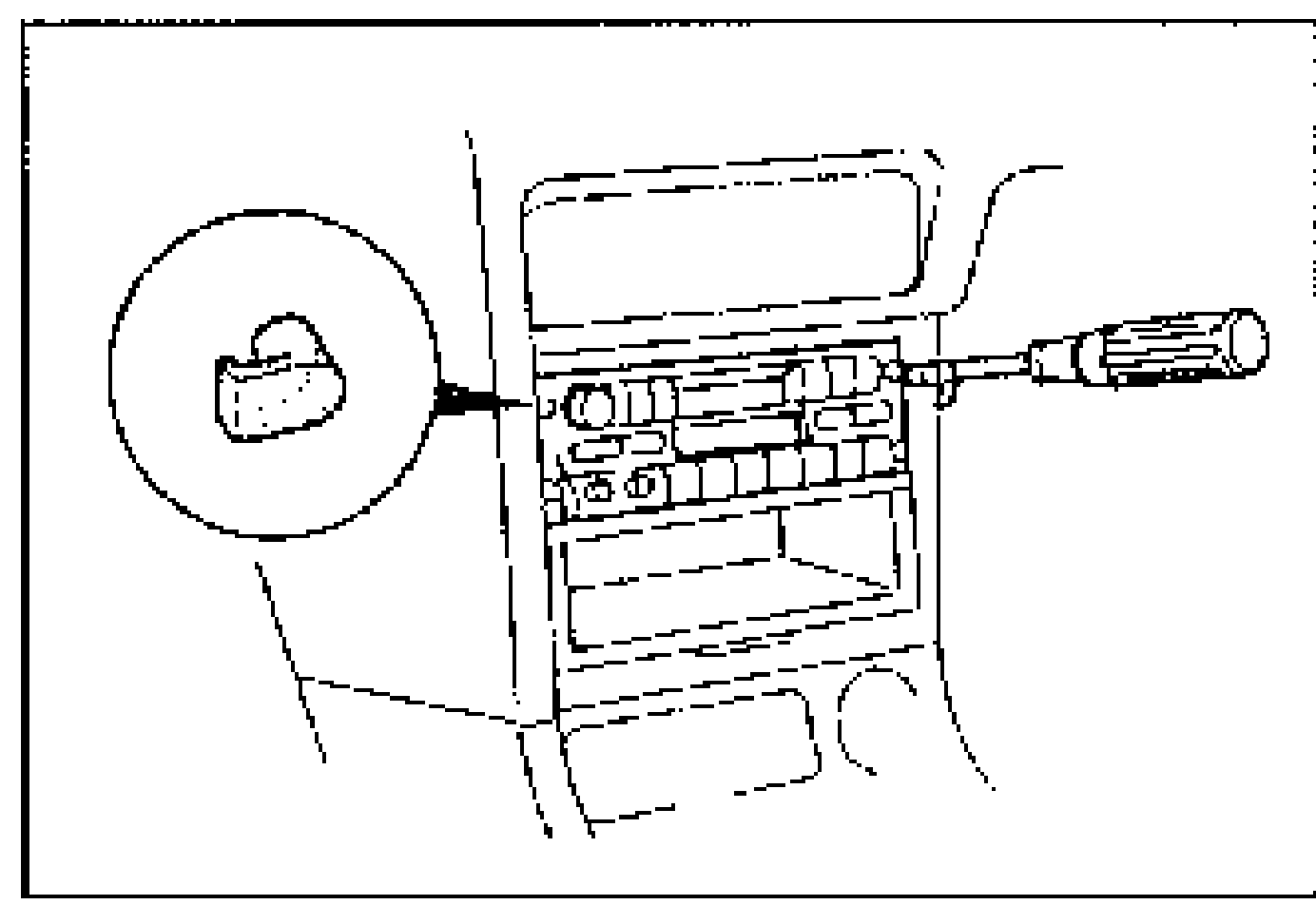
    Center dashboard panel with the audio unit; a protected screwdriver pries out an audio unit service hole cover (shown enlarged in a circular inset). Illustrates Audio Unit Removal step 1.
  2. 2
    With the beveled parts of the SST facing inward, insert them into the audio unit.
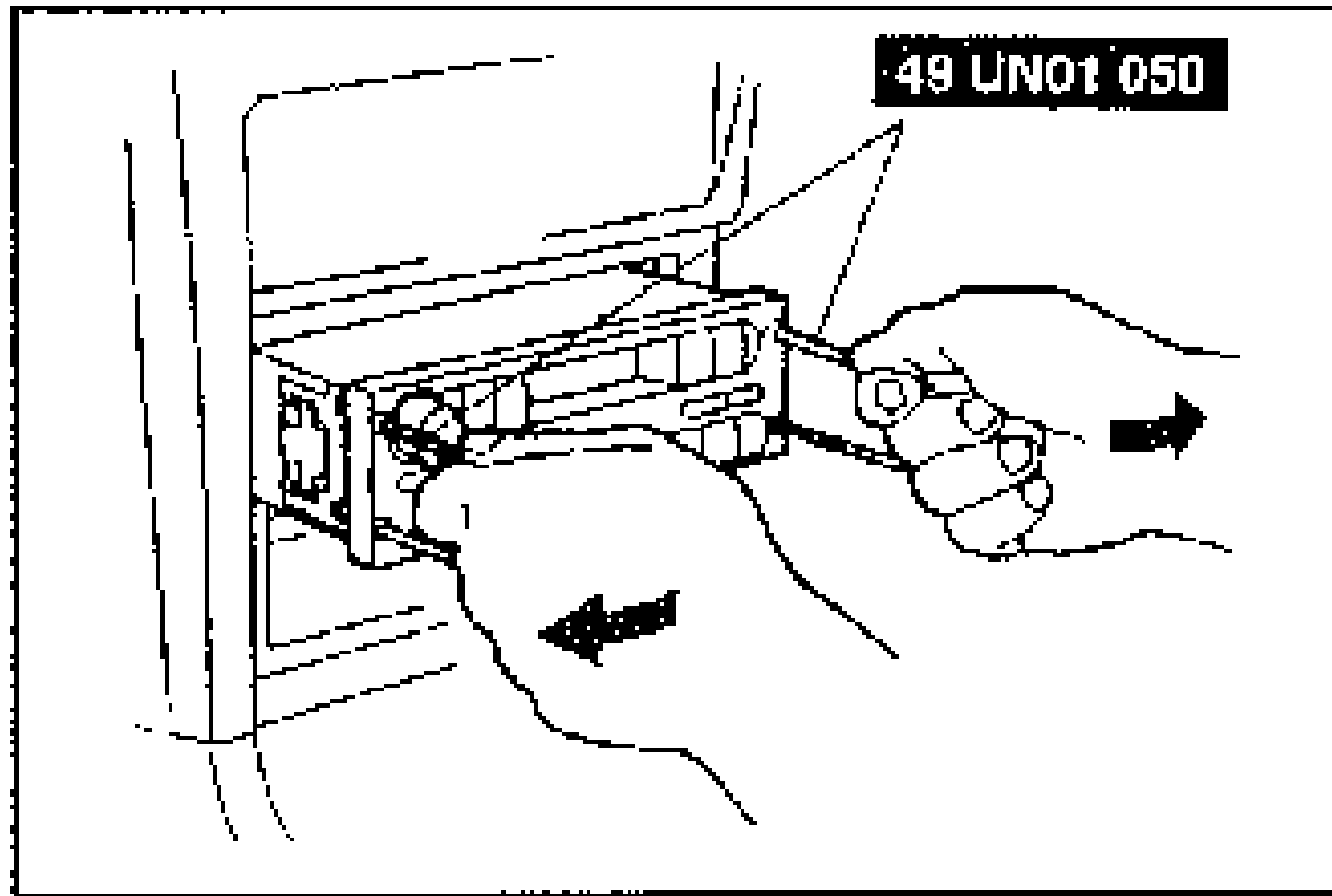
    SST 49 UN01 050 removal keys inserted into the audio unit; hands pull the unit outward/rearward with directional arrows. Illustrates Audio Unit Removal steps 2-3.
  3. 3
    Pull the SST outward and rearward to slide out the audio unit.
  4. 4
    Disconnect the connector and antenna jack.

Installation

  1. 1
    Install the audio unit service hole covers.
  2. 2
    Connect the audio unit connectors and antenna jack.
  3. 3
    Insert the audio unit until each clip clicks. Verify that the wiring harness and antenna feeder are not caught between the audio unit and the dashboard.
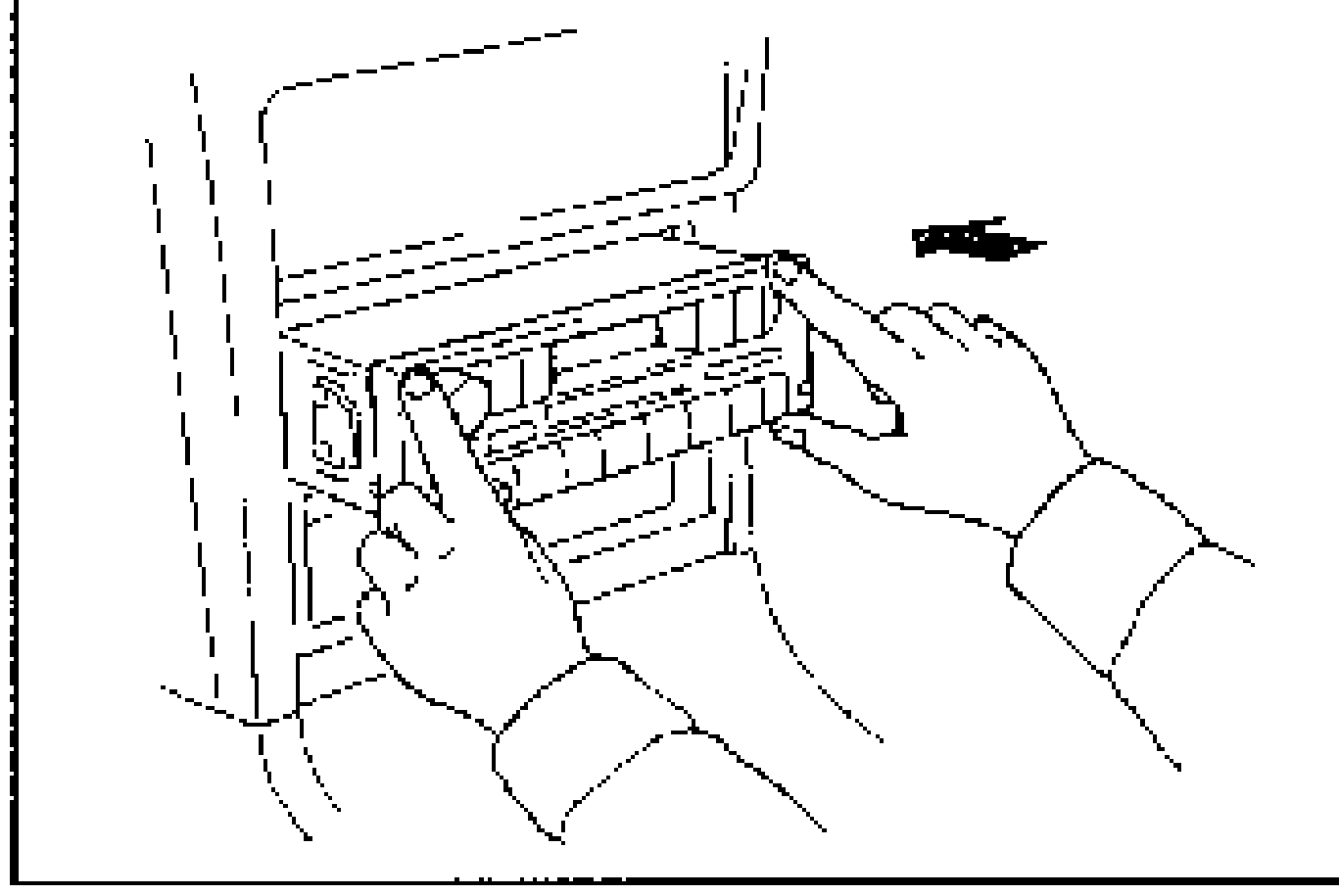
    Hands inserting the audio unit back into the dashboard opening with a directional arrow. Illustrates Audio Unit Installation step 3.

SPEAKER

Removal / Installation

Door speaker

  1. 1
    Remove the door speaker cover by using a protected screwdriver.
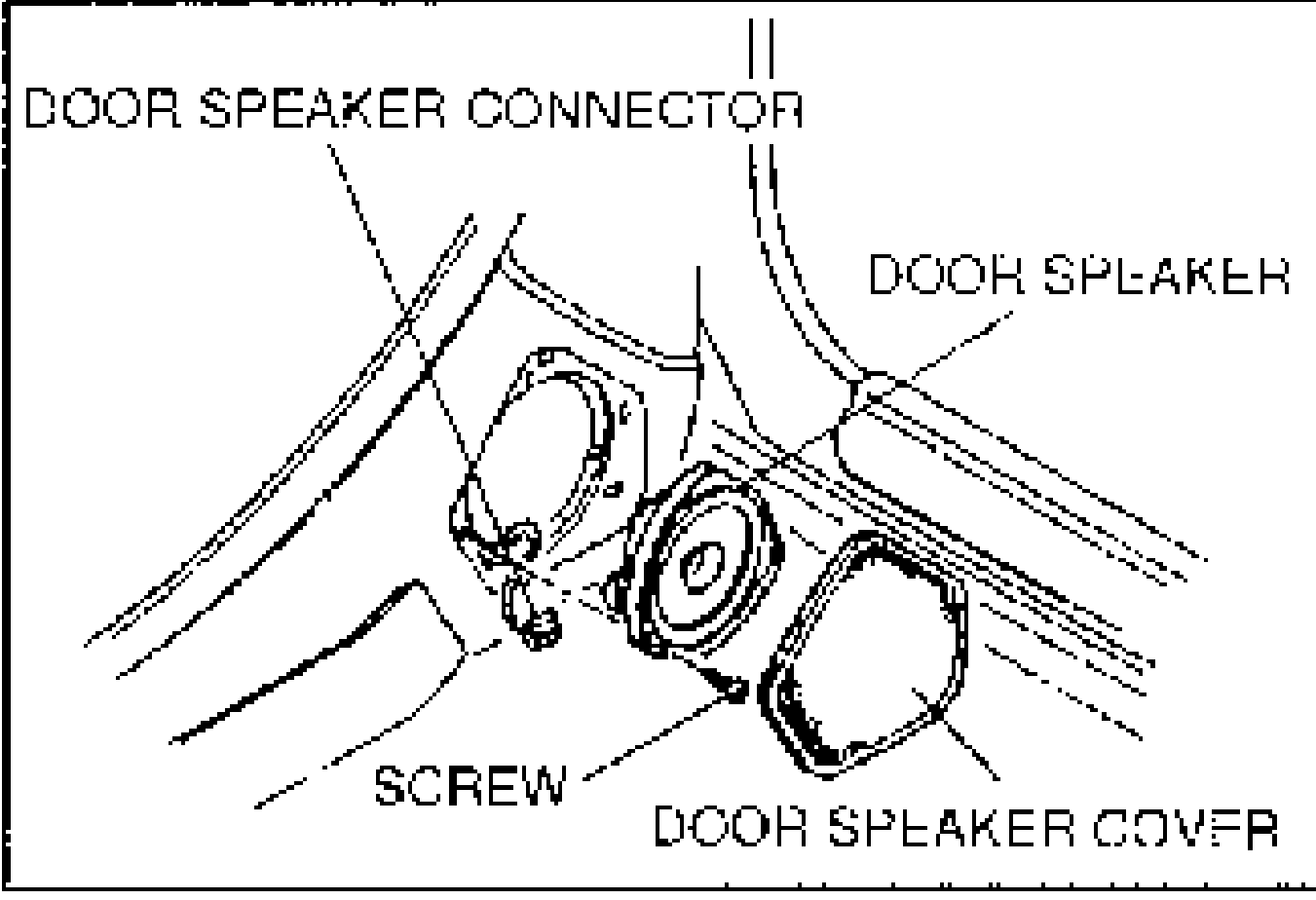
    Door speaker installation: exploded view showing door speaker connector, door speaker, mounting screw, and door speaker cover. Illustrates the Door speaker removal/installation procedure.
  2. 2
    Remove the 3 screws and the door speaker.
  3. 3
    Install in the reverse order of removal.

Rear speaker

  1. 1
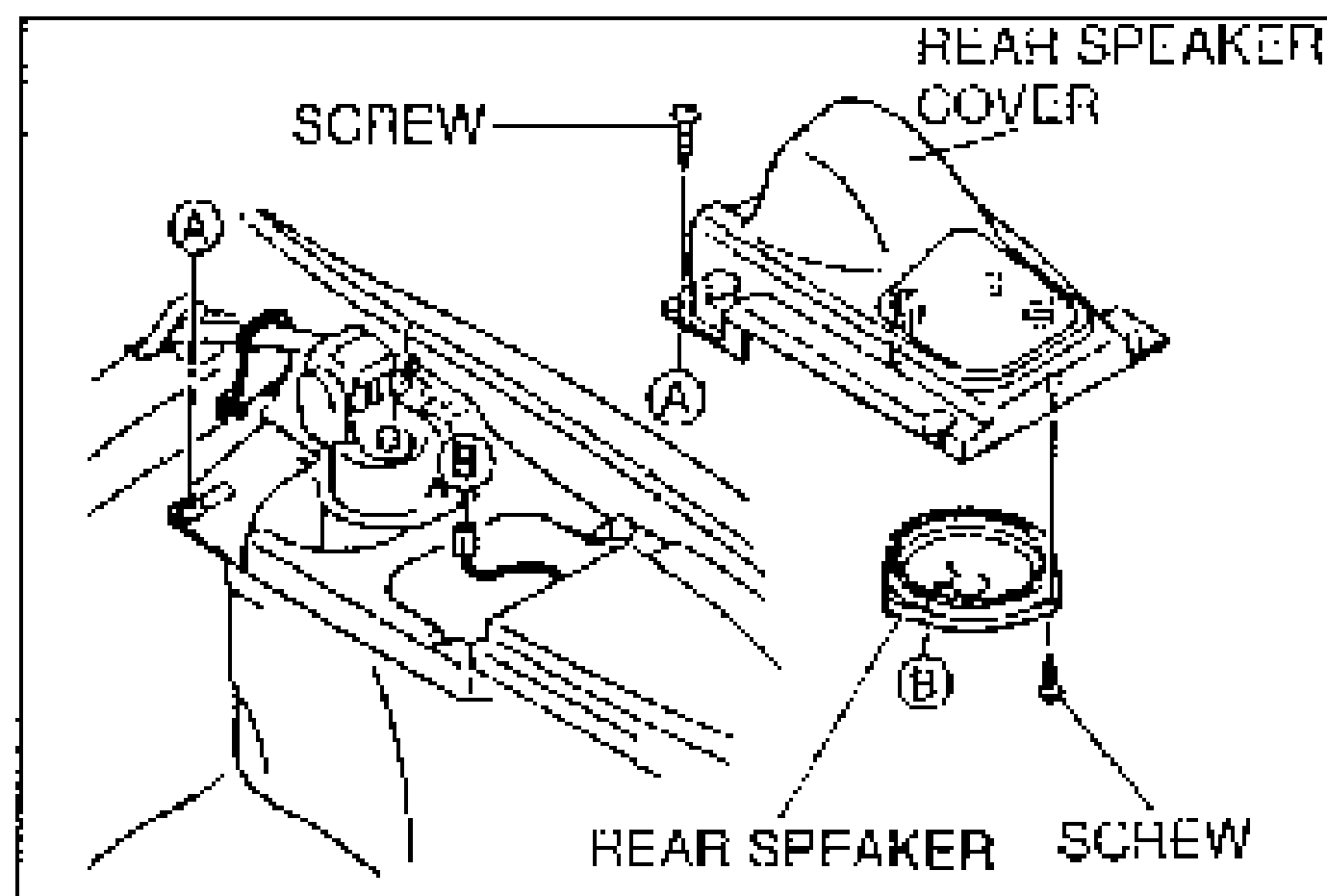
    Remove the rear speaker cover.
    Rear speaker installation: exploded view showing rear speaker cover, mounting screws, and rear speaker, with callouts A and B. Illustrates the Rear speaker removal/installation procedure.
  2. 2
    Remove the 3 screws and the rear speaker.
  3. 3
    Install in the reverse order of removal.

Search Manual

Search pages, specs, and procedures